The suite panel
Fifty-four tiles, one icon per product: it says at a glance whether it is installed, running, behind, or not yours.

Free with Premium
One panel for the whole suite: what you have, what is outdated, what to update.
Included in Shadow Server - BASIC and in every tier above: with the subscription it stays active and updated for as long as it runs, on one server. See the tiers.
14.99 € Stable Foundations
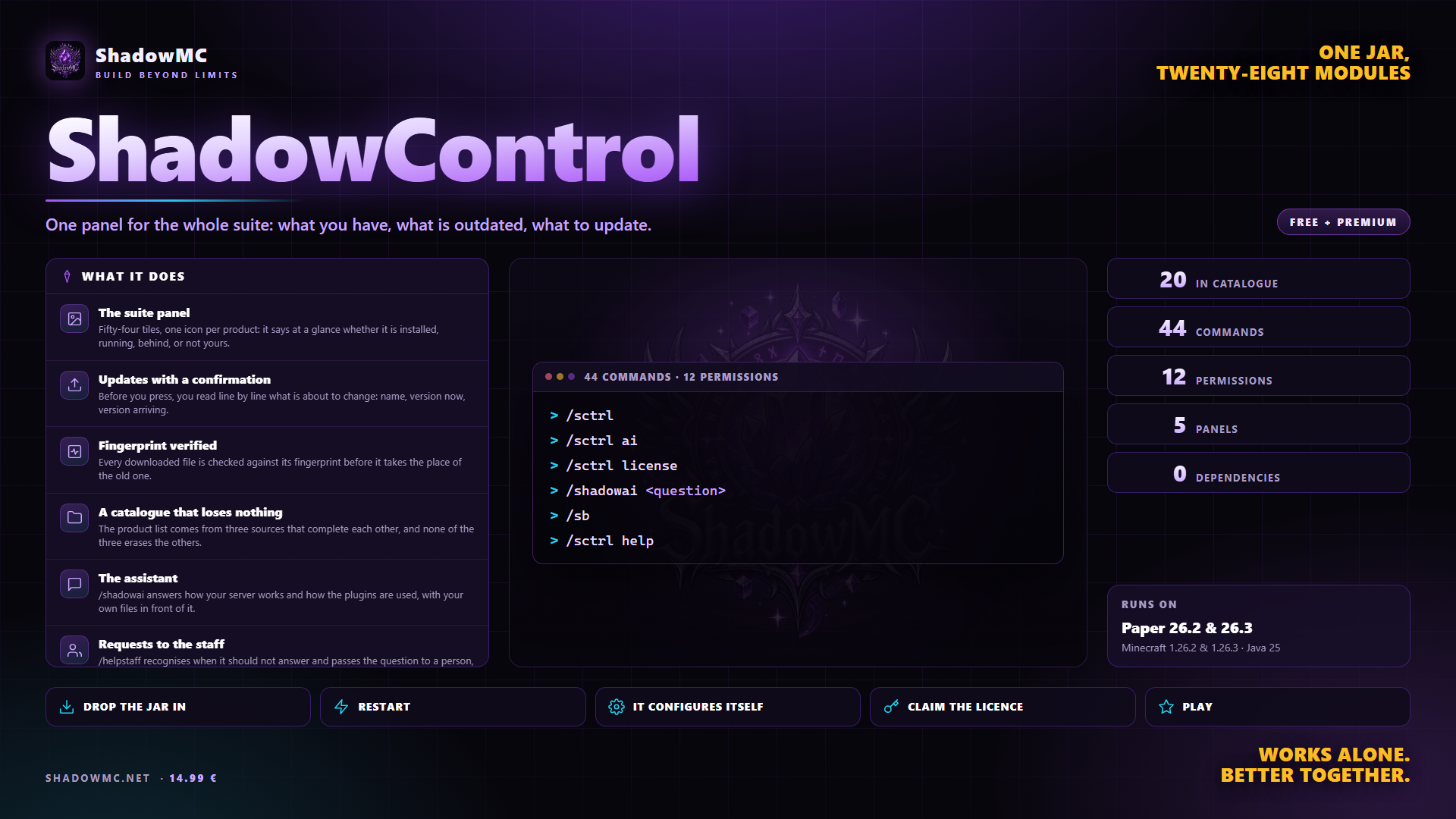
Fifty-four tiles, one icon per product: it says at a glance whether it is installed, running, behind, or not yours.
Before you press, you read line by line what is about to change: name, version now, version arriving.
Every downloaded file is checked against its fingerprint before it takes the place of the old one.
The product list comes from three sources that complete each other, and none of the three erases the others.
/shadowai answers how your server works and how the plugins are used, with your own files in front of it.
/helpstaff recognises when it should not answer and passes the question to a person, instead of inventing one.
| Command | Description | Aliases | Permission |
|---|---|---|---|
| /helpstaff | Ask for help: the assistant answers, or the staff does | /staffhelp /askstaff | shadowcontrol.help |
| /nextrestart | When the server restarts next, and why | /nextreboot | shadowcontrol.nextrestart |
| /shadowai | Ask the server's assistant something | /ai /ask | shadowcontrol.ai |
| /shadowcontrol | The Shadow suite panel | /sctrl /suite /shadow /sc | shadowcontrol.command |
| Command | What it does | Permission |
|---|---|---|
| /sctrl | Opens the suite panel. It is the only command you really need. From the console it prints the help. | shadowcontrol.gui |
| /sctrl help | The list of commands, with the descriptions in the language you picked. It answers to any word that is not a subcommand. | shadowcontrol.command |
| /sctrl check | Asks the repository which versions have come out. It downloads nothing. | shadowcontrol.check |
| /sctrl update all | Updates everything you own. In game it asks for confirmation with two buttons, listing what changes. | shadowcontrol.update |
| /sctrl update <plugin> | Updates that product only, again with a confirmation. | shadowcontrol.update |
| /sctrl list | The suite listed in chat: state, installed version and latest release. | shadowcontrol.command |
| /sctrl info <plugin> | The card of one product, with everything new in the latest version. | shadowcontrol.command |
| /sctrl status | Where the updates come from, last check, counts, last error. | shadowcontrol.command |
| /sctrl reload | Reloads configuration, catalogue, languages and menus. It does not touch what has already been downloaded. | shadowcontrol.reload |
| /sctrl restart | Restarts the server, if you switched that on. See the warning in section 02. | shadowcontrol.restart |
| /sctrl ok <token> | Confirms what was asked. The chat button types it, not you. | shadowcontrol.command |
| /sctrl no <token> | Calls off what was asked. Same again. | shadowcontrol.command |
| Command | What it does | Permission |
|---|---|---|
| /sctrl ai | How the assistant stands: provider, model, topics switched on, questions today, estimated spend today and in total, requests waiting. | shadowcontrol.command |
| /sctrl tickets | Opens the list of help requests. From there it is all buttons. | shadowcontrol.tickets |
| /sctrl ticket answer <n> <text> | Sends a reply you wrote yourself instead of the draft. answer works too. | shadowcontrol.tickets |
| /sctrl ticket claim <n> | Takes a request on. claim works too. | shadowcontrol.tickets |
| /sctrl ticket done <n> | Marks the request as done. chiudi, done and close work too. | shadowcontrol.tickets |
| /sctrl ticket reopen <n> | Reopens a closed request. reopen works too. | shadowcontrol.tickets |
| Command | What it does | Permission |
|---|---|---|
| /sctrl license | Status, holder, expiry, this server's fingerprint and what the version you are on allows you. The key is always shown masked. | shadowcontrol.command |
| /sctrl license claim <code> | Turns a purchase code into a licence signed for this server. One second, and no email to send. | shadowcontrol.admin.license |
| /sctrl license activate <key> | Activates a key you already hold, and writes it into license.yml. | shadowcontrol.admin.license |
| /sctrl license refresh | Re-reads the licence now, without waiting for the automatic check. | shadowcontrol.admin.license |
| Command | What it does | Permission |
|---|---|---|
| /shadowai <question> | Asks the assistant. It keeps the thread of the last few exchanges. Aliases /ai and /ask. | shadowcontrol.ai |
| /shadowai reset | Makes it forget what was said before. dimentica works too. | shadowcontrol.ai |
| /helpstaff <problem> | Asks for help: either the assistant answers, or it opens a request for the staff. Aliases /staffhelp and /askstaff. | shadowcontrol.help |
| Command | What it does | Permission |
|---|---|---|
| /se | Homes, warps, kits, VIP, chat. The heart of the suite. | — |
| /lp | Groups and permissions without opening a wiki. | — |
| /eco | Money, shops, auctions, rents and a stock market. | — |
| /rg | Region protection, all of it through panels. | — |
| /sopt | TPS, and why it had been going down. | — |
| /scmd | Commands of your own, written in a YAML file. | — |
| /ssp | Spawners from picking them up to selling them on. | — |
| /cc | Crates, keys, giant chests and chests that sell by themselves. | — |
| /is | Islands, roles, upgrades, missions, bank and leaderboards. | — |
| /oneblock | One block only, with the phases voted on by the island. | — |
| /island | An ocean that burns, an acid tide and a purifier. | — |
| /battlepass | Seasons, a hundred levels, missions and challenges. | — |
| /quest | Endless quests, with the editor in game. | — |
| /minion | Helpers that keep working when you are not there. | — |
| /scus | Items, mobs and enchantments that do not exist in Minecraft. | — |
| /scmodels | The extension with the models and the resource pack. | — |
| /login | Access to the server, locked down. | — |
| /sbl | It spots who is cheating and puts the evidence in the staff's hands. | — |
| /games | Thirty-two minigames: arenas, queues, parties and leaderboards. | — |
| Node | What it grants | By default |
|---|---|---|
| shadowcontrol.command | Use the control panel command | Operators |
| shadowcontrol.gui | Open the suite panel | Operators |
| shadowcontrol.check | Look for updates | Operators |
| shadowcontrol.update | Download and stage updates | Operators |
| shadowcontrol.reload | Reload the panel configuration | Operators |
| shadowcontrol.notify | Get the join notice when something needs updating | Operators |
| shadowcontrol.ai | Use /shadowai | Everyone |
| shadowcontrol.help | Use /helpstaff | Everyone |
| shadowcontrol.tickets | See and handle the help requests | Operators |
| shadowcontrol.admin.license | Activate, claim and reload the licence | Operators |
| shadowcontrol.restart | Restart the server from the panel | Operators |
| shadowcontrol.restart.schedule | Restart the server by hand (now, in, at), from the command or the panel | Operators |
| shadowcontrol.restart.cancel | Cancel a countdown or skip the next planned restart | Operators |
| shadowcontrol.restart.delay | Delay a countdown or the next planned restart | Operators |
| shadowcontrol.restart.simulate | Run a restart simulation, and see its messages | Operators |
| shadowcontrol.restart.setup | See how the server comes back after a restart, and write an example start loop | Operators |
| shadowcontrol.restart.notify | Get the staff notices of restarts (postponements, health, refusals) | Operators |
| shadowcontrol.tasks | List the scheduled tasks | Operators |
| shadowcontrol.tasks.run | Run a scheduled task now | Operators |
| shadowcontrol.tasks.toggle | Switch scheduled tasks on and off, pause and resume them | Operators |
| shadowcontrol.automation.gui | Open the automations panel | Operators |
| shadowcontrol.nextrestart | Use /nextrestart to see when the server restarts | Everyone |
| shadowcontrol.admin · 22 children | Everything, restart included | Operators |
There are no screenshots yet. When there are they show up here, and in the meantime saying so beats filling the space.
Fifty-four tiles, one per product, each saying at a glance whether it is installed, running, behind or missing. Updates ask for confirmation and check the fingerprint of every file before writing it.
Un server con dieci plugin della stessa suite ha dieci cartelle, dieci numeri di versione da ricordare e dieci pagine da guardare per sapere se è uscito qualcosa.
the suite panel and manual updates, for up to 3 suite plugins. Past that limit you need a licence.
plugins folder of your Paper server.license claim SG-XXXX-XXXX.None of these has to be installed, except the ones marked required: when it is there, ShadowControl uses it; when it is missing, it works all the same.