One sample a second
The monitor reads four numbers the server already keeps up to date: keeping it on costs what not having it costs.

Free
Find out what is eating your TPS, then do something about it.
Free Stable Performance
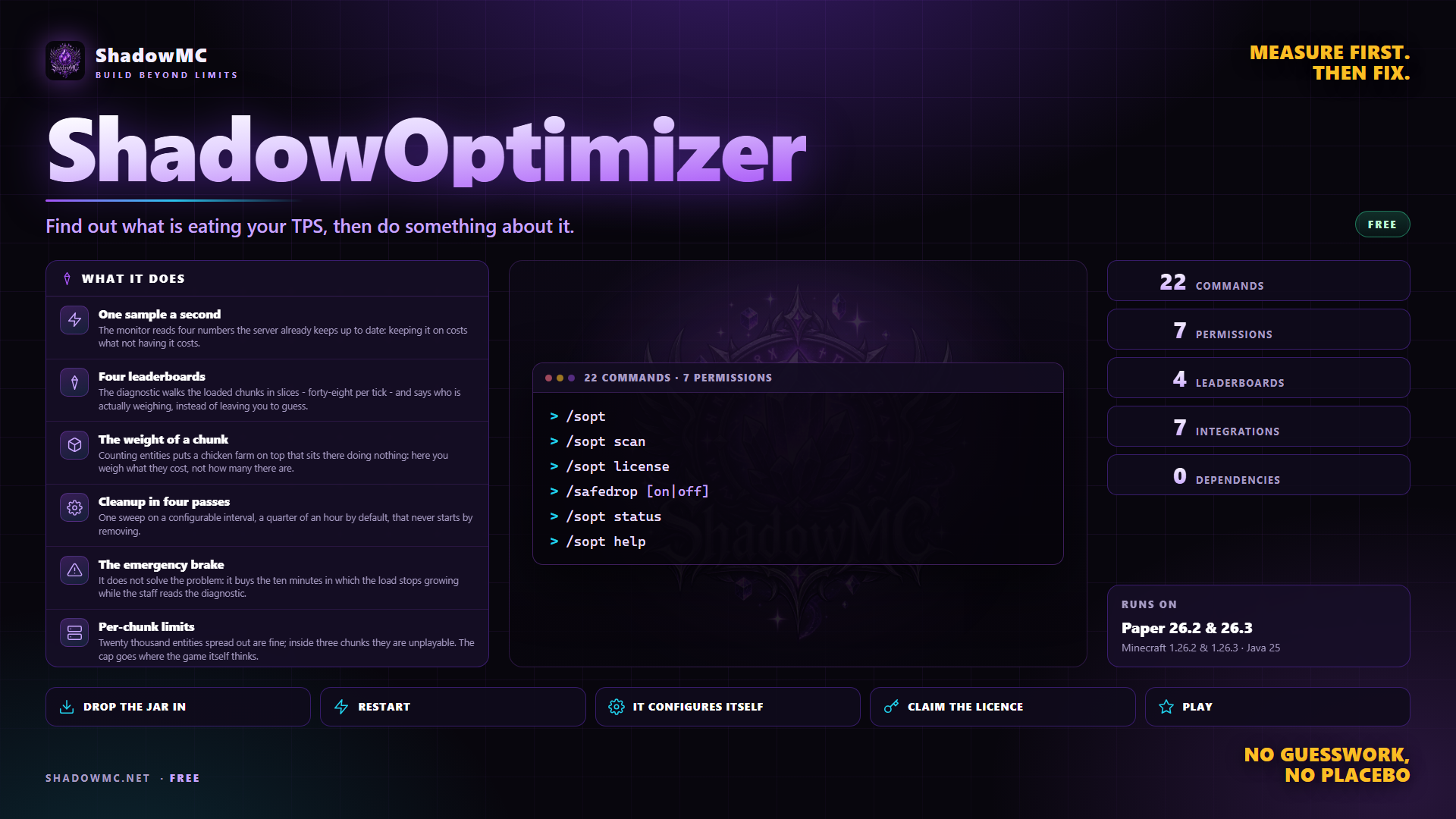
The monitor reads four numbers the server already keeps up to date: keeping it on costs what not having it costs.
The diagnostic walks the loaded chunks in slices - forty-eight per tick - and says who is actually weighing, instead of leaving you to guess.
Counting entities puts a chicken farm on top that sits there doing nothing: here you weigh what they cost, not how many there are.
One sweep on a configurable interval, a quarter of an hour by default, that never starts by removing.
It does not solve the problem: it buys the ten minutes in which the load stops growing while the staff reads the diagnostic.
Twenty thousand entities spread out are fine; inside three chunks they are unplayable. The cap goes where the game itself thinks.
| Command | Description | Aliases | Permission |
|---|---|---|---|
| /safedrop | Turn the drop confirmation on or off for yourself | /dropconfirm | shadowoptimizer.safedrop |
| /shadowoptimizer | TPS monitor, readable lag diagnostics, cleanup and stacking | /sopt /lag | shadowoptimizer.use |
| /soptanswer | Answers a ShadowOptimizer prompt (used by the buttons) | — | — |
| Command | What it does | Permission |
|---|---|---|
| /sopt | Opens the panel. From the console, which opens no windows, it prints the summary in chat. It does that even if for some reason the window will not open: numbers beat silence. | shadowoptimizer.use |
| /sopt status | TPS with the three averages, time per tick, worst quarter of an hour, players, entities, chunks, and the verdict with the sentence that says what it depends on. | shadowoptimizer.use |
| /sopt help | The list of commands. It answers to ? as well, and shows the administration part only to whoever has it. | shadowoptimizer.use |
| /sopt diagnose | The leaderboard of the most expensive chunks, with the button that takes you there. It answers to report as well. | shadowoptimizer.use |
| /sopt diagnose <entities|worlds|plugins> | The other three leaderboards: which entity types are too many, which world weighs, which plugin is eating the tick. | shadowoptimizer.use |
| /sopt history [hours] | How it went before, summarised one hour per line with average, worst and players. Six hours if you do not say how many. | shadowoptimizer.use |
| /sopt limits | The per-chunk limits in force, and how many worlds and regions have rules of their own. | shadowoptimizer.use |
| /sopt stack | State of mob and item stacking, how many it merged and split, and why you might not see a stack. It answers to stacking as well. | shadowoptimizer.use |
| /sopt spawners | State of spawner optimisation, batches generated and spawns skipped. It answers to spawner as well. | shadowoptimizer.use |
| Command | What it does | Permission |
|---|---|---|
| /sopt scan | Takes the snapshot now, without waiting for the background one. It answers with how many chunks in how many milliseconds. | shadowoptimizer.admin |
| /sopt clean | One cleanup pass now. It asks for confirmation with two chat buttons. | shadowoptimizer.admin |
| /sopt clean why | Why the items around you are still on the ground: within sixteen blocks, one per line, with the exact clause keeping each one there. | shadowoptimizer.admin |
| /sopt panic [minutes] | Pulls the emergency brake: no explosions, redstone stopped, no new monsters. From 1 to 120 minutes, five if you do not say. It asks for confirmation. | shadowoptimizer.admin.panic |
| /sopt panic off | Releases it immediately. It answers to stop as well. | shadowoptimizer.admin.panic |
| /sopt tp <world> <x> <z> | Jumps to that chunk, at the surface. It is what sits behind the button next to every leaderboard row. | shadowoptimizer.teleport |
| /sopt reload | Re-reads configuration, languages, menus, rules and limits without a restart, and says how many problems it found. | shadowoptimizer.admin |
| Command | What it does | Permission |
|---|---|---|
| /safedrop [on|off] | Switches the drop confirmation on or off for you; with no argument it flips it. The choice is remembered across restarts. Alias: /dropconfirm. | shadowoptimizer.safedrop |
| /soptanswer <token> <yes|no> | The command behind the two confirmation buttons. It is not typed by hand, has no completion and does not appear in the help. | — |
| Node | What it grants | By default |
|---|---|---|
| shadowoptimizer.use | Open the panel and see the TPS | Operators |
| shadowoptimizer.admin | Immediate cleanup, a scan on demand, reloading the configuration | Operators |
| shadowoptimizer.admin.panic | Pull and release the emergency brake | Operators |
| shadowoptimizer.teleport | Jump to the chunk that weighs, from the leaderboard | Operators |
| shadowoptimizer.notify | Receive the warnings when a limit is reached | Operators |
| shadowoptimizer.safedrop | Turn the drop confirmation on or off for yourself (/safedrop) | Everyone |
There are no screenshots yet. When there are they show up here, and in the meantime saying so beats filling the space.
A monitor that costs nothing, a diagnostic that names the chunks actually weighing on the server, cleanup in four passes, per-chunk limits and an emergency brake for the ten minutes in which nobody knows what is happening yet.
Il server va a scatti. Apri la console e leggi 12 TPS: e' un numero che conferma quello che avevi gia' visto guardando i blocchi tornare indietro, e non ti dice niente su cosa fare adesso.
ShadowOptimizer covers what you do today with ClearLagg, Spark — in one jar, with no dependencies to install first.
plugins folder of your Paper server.None of these has to be installed, except the ones marked required: when it is there, ShadowOptimizer uses it; when it is missing, it works all the same.