A world of its own
Islands do not go in the server world: a dedicated one is generated empty, with no mountains or caves nobody will ever see.

Free with Premium
A complete skyblock: world, islands, roles, missions, bank and rankings.
Included in Shadow Server - Skyblock and in every tier above: with the subscription it stays active and updated for as long as it runs, on 5 servers. See the tiers.
24.99 € Stable Game modes
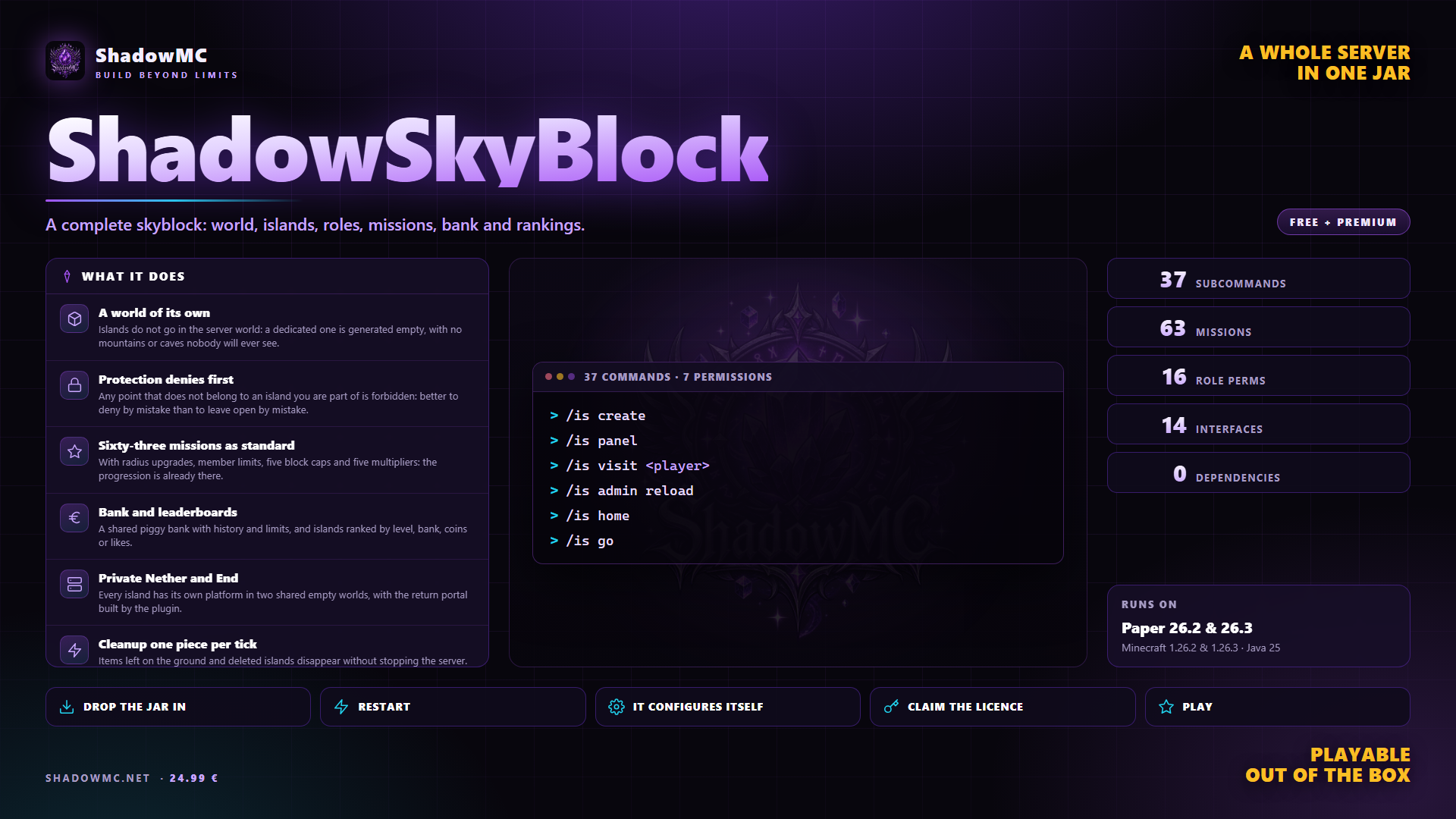
Islands do not go in the server world: a dedicated one is generated empty, with no mountains or caves nobody will ever see.
Any point that does not belong to an island you are part of is forbidden: better to deny by mistake than to leave open by mistake.
With radius upgrades, member limits, five block caps and five multipliers: the progression is already there.
A shared piggy bank with history and limits, and islands ranked by level, bank, coins or likes.
Every island has its own platform in two shared empty worlds, with the return portal built by the plugin.
Items left on the ground and deleted islands disappear without stopping the server.
| Command | What it does | Permission |
|---|---|---|
| /is create | Creates your island and takes you there. | shadowskyblock.island.create |
| /is home | Takes you back to your island. | — |
| /is go | The same as /is home: two names for one thing, and go is the one people try first. | — |
| /is sethome | Moves the island's return point here. | — |
| /is setwarp | Puts the point where visitors arrive here: somewhere other than your home, which stays yours. | — |
| /is delwarp | Removes the visitors' point: from then on /is visit leads to the island home. | — |
| /is spawn | Takes you back to the server hub. | — |
| /is end | Goes to your island's private End. | — |
| /is invite <player> | Invites somebody to the island. | — |
| /is accept <player> | Accepts an invitation you received. | — |
| /is kick <player> | Throws a member out. | — |
| /is delete | Deletes your island, and there is no undoing it. On its own it asks in chat: /is delete confirm does it, /is delete cancel calls it off. | — |
| Command | What it does | Permission |
|---|---|---|
| /is panel | The control panel: everything else is reachable from here. | — |
| /is settings | Island settings: visits, scoreboard, deletion. | — |
| /is rules | Island rules: mobs, PvP, fire, time, weather. | — |
| /is members | Members and roles. | — |
| /is upgrades | The island upgrades; it answers to /is upgrade as well. | — |
| /is perks | Your own personal perks. | — |
| /is missions | The island missions. | — |
| /is generator | Ore generator and prestiges. | — |
| /is bank [deposit|withdraw <amount>] | The island bank, with or without an amount. | — |
| Command | What it does | Permission |
|---|---|---|
| /is visit <player> | Goes to see somebody else's island, if they have opened it to visitors. | — |
| /is like [player] | Adds or removes a like. | — |
| /is level [player] | Recomputes the level by counting the island's blocks and prints level and points. With no name, your own. | — |
| /is top [level|bank|money|likes] | The server leaderboards. | — |
| /is chat [message] | The members' private chat: with a message it sends one, without it turns the mode on. | — |
| /is scoreboard | Switches the island sidebar on or off. | — |
| /is help | The list of commands, in chat. | — |
| Command | What it does | Permission |
|---|---|---|
| /is admin reload | Reloads configuration, language and screens without a restart. | shadowskyblock.island.reload |
| /is admin panel | Admin panel: generator, upgrades and perks are edited from the inventory. | shadowskyblock.island.reload |
| /is admin inspect | The card of the island you are standing on. | shadowskyblock.island.reload |
| /is admin generator | Why the generator does - or does not do - what it does, measured at the spot you are standing on. | shadowskyblock.island.reload |
| /is admin pasteschem <file> <world> <x> <y> <z> | Pastes a schematic at exact coordinates. It works from the console as well. | shadowskyblock.island.reload |
| /is admin confirm | Confirms the action the admin panel has just asked you to confirm. | shadowskyblock.island.reload |
| /is admin cancel | Calls that same action off. | shadowskyblock.island.reload |
| /is suite | What it has hooked from the rest of the suite, line by line. Either staff node is enough, island.admin or island.reload. | shadowskyblock.island.admin |
| /is license [claim|activate|refresh] | Licence status and activation. | shadowskyblock.admin.license |
| Node | What it grants | By default |
|---|---|---|
| shadowskyblock.island.create | Allows creating an island | Everyone |
| shadowskyblock.island.admin | Admin commands over any island, and a bypass of the protection | Operators |
| shadowskyblock.admin.license | See the licence status and activate it | Operators |
| shadowskyblock.island.reload | Reloads the configuration and opens the admin menus (generator/upgrades/perks) without editing files by hand | Operators |
| betterskyblock.island.create · 1 children | Historic alias of shadowskyblock.island.create | Nobody |
| betterskyblock.island.admin · 1 children | Historic alias of shadowskyblock.island.admin | Nobody |
| betterskyblock.island.reload · 1 children | Historic alias of shadowskyblock.island.reload | Nobody |
There are no screenshots yet. When there are they show up here, and in the meantime saying so beats filling the space.
Islands live in their own empty world. Protection denies first. Sixty-three missions, upgrades, block caps, a shared island bank, private Nether and End platforms, and cleanup one piece per tick.
Aprire uno skyblock, di solito, vuol dire montare un puzzle: un plugin per le isole, uno per la protezione, uno per i permessi di zona, uno per la classifica, uno per il generatore di minerali.
up to 25 islands, 30 players online and 4 members per island, with 3 upgrades up to level 3. Past that limit you need a licence.
ShadowSkyBlock covers what you do today with BentoBox, IridiumSkyblock — in one jar, with no dependencies to install first.
plugins folder of your Paper server.license claim SG-XXXX-XXXX.None of these has to be installed, except the ones marked required: when it is there, ShadowSkyBlock uses it; when it is missing, it works all the same.